Pardus Navigation Resizer – Userscript
Posted by SparkleMay 7
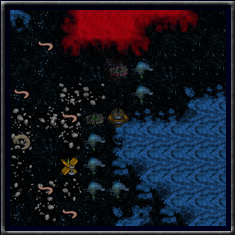 While you have the option to display the individual tiles in the navigation display at several sizes (64px, 96px and 128px depending on the image pack you use), there may be times where you want to use a different size.
The image shown here is a full 9×9 navigation display with the tile size set to 24px. It has been reproduced here without having been resized with an image editor.
Maybe you are using a small screen that prevents you from seeing all the entire navigation screen without scrolling.
This script changes the width and height of the tiles to allow for finer adjustment of the tile size. By default it will resize the navigation tiles to 48px by 48px.
If you wish to edit the userscript to show a different tile size, use a text editor and follow the simple instructions contained in the userscript itself.
Note – this script will work with partial refresh enabled or disabled.
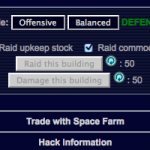 If you are a trader, the last thing you will want to do is attack or raid one of the buildings in the economy you are working in. With the placement of the Raid and Damage buttons, this can happen from time to time.
 Plays a sound when the message notification icon is displayed in the message frame. The sound will continue to play each time the message frame refreshes and will only stop when the message notification icon is no longer present (after the message has been read).
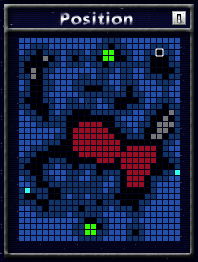 Show a small map of the current sector in various locations on the navigation screen. Your current position is updated on the map as you move around.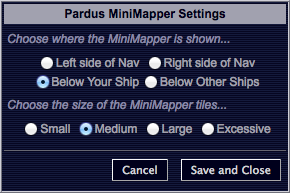
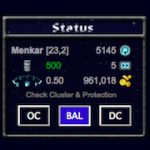 This script allows you to switch between Offensive, Balanced and Defensive combat modes without having to leave the navigation screen.
 This script attempts to block access to the Pardus Forums for those pilots who feel they are spending too long there or don’t want to see them at all.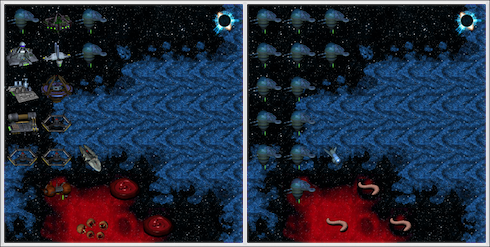
 Have you ever broken your ambush by accidentally clicking somewhere or pressing a movement key? Maybe you have a cat that likes walking on the keyboard causing you to end up in open space without your knowledge!